
Parent lock
Settings sit behind a parent password. You set the step rate, a daily step floor before power works, a daily minute cap, bedtime hours, and can reset the bank if they get in trouble. Kids cannot rewrite the deal.
No steps. No power.
Tired of fighting over Xbox and screen time? Kids walk to earn Power Minutes. A smart plug only turns the TV or console on after they move — and cuts the power when time is up. No nagging. The outlet does the job.
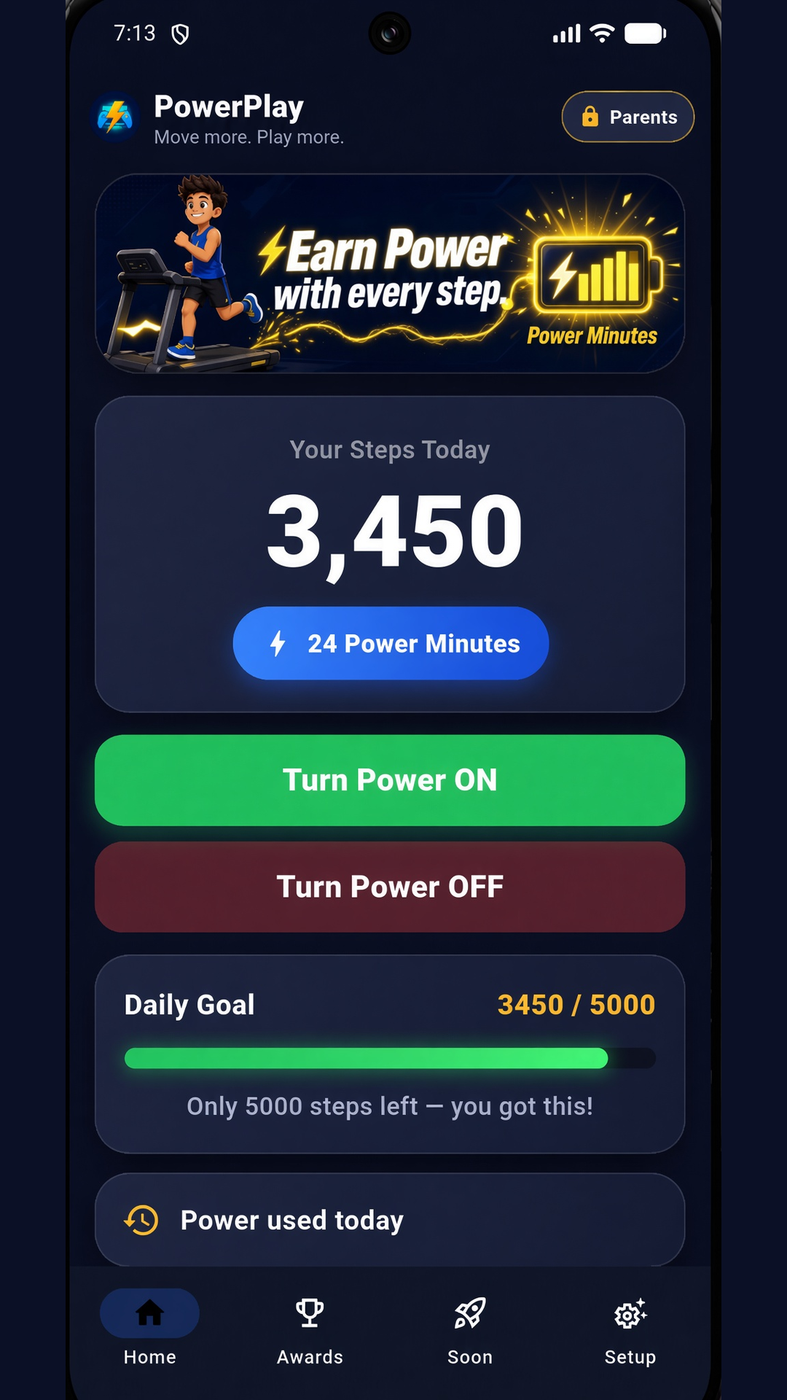
Most screen-time apps only show a timer or send a reminder. PowerPlay is different: it controls the power cord. Kids move first. Minutes go into a bank. Then the outlet turns on. When minutes run out, the TV or console loses power — not just a warning on a phone.
01
Default is the phone in a pocket. Parents can switch to a Fitbit, Samsung Galaxy Watch, or Garmin through Health Connect so they can leave the phone at home. Pick one source — phone and watch are never added together.
02
Steps turn into Power Minutes you can save. Parents pick the rate — default is 200 steps for 15 minutes. Extra minutes stay in the bank until they spend them. They do not vanish at midnight.
03
When they have minutes, they tap Turn Power ON. A Wi-Fi plug on the TV, console, or PC switches the outlet on. When the timer hits zero, the plug turns off — the screen cannot stay on after time is up.
Why kids keep walking
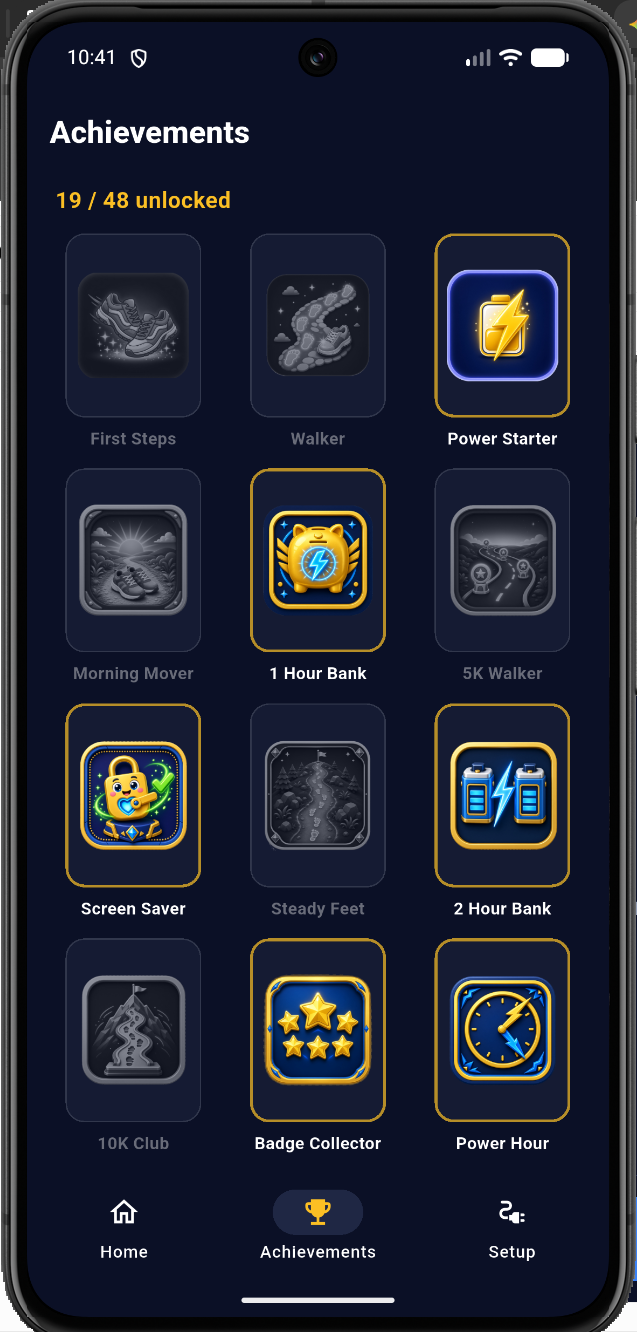
First Steps, Hour Bank, 50K Trophy, Grand Master — each badge is a custom gold-and-navy icon, not a generic star. Locked badges stay grey so they can see the goal. Unlocks live on the phone for the life of the app.









Settings sit behind a parent password. You set the step rate, a daily step floor before power works, a daily minute cap, bedtime hours, and can reset the bank if they get in trouble. Kids cannot rewrite the deal.
Phone pedometer is the default. Fitbit, Samsung Health, and Garmin work today through Health Connect. Parents pick Phone, Watch, or Auto in Parent controls. Apple Watch comes with the iPhone app.
Custom gold-and-navy badges unlock as they walk, bank time, and collect. Locked art stays grey so they can see the goal. A long path that can take a year, not one weekend.
Pick hours when the On button simply will not work — for example 9 PM to 6 AM. Even if they still have minutes in the bank, the plug stays off until morning.
Plug a US Shelly outlet into the wall, then plug the TV or console into that. No electrician. Control up to three plugs at once so the TV and Xbox follow the same timer.
Live now
Parents pick where steps come from: Phone only, Watch / Fitbit / Samsung, or Auto (whichever number is higher — never added together). The watch talks through Google Health Connect. They can leave the phone on the charger and still earn Power Minutes.
Phone · Health Connect · Fitbit · Samsung Health · Garmin
Apple Watch needs the iPhone app — that’s still on the roadmap.
Three things. That’s the whole kit.
Android first (Samsung works). Carry the phone, or wear a Fitbit / Galaxy Watch / Garmin that shares steps to Health Connect.
The plug and the app talk on your network. No extra hub.
One outlet for the TV, Xbox, or PC. That’s the referee.
Android is ready. On the kid’s phone, open Google Play and download PowerPlay. Then plug in a Shelly and set the parent password.
Download the AppSteps stay on the phone. PowerPlay is not a cloud tracker and does not sell location or health data. The plug only gets an on/off command on your home Wi-Fi.
Early access
Sign in if you want a note when the iPhone app is ready, or when the Play price changes. The Android app is already up — use Download the App. iPhone comes next.
Android first. iPhone next. Phone steps or a Fitbit / Samsung / Garmin through Health Connect. Pair it with a Shelly US plug.
See how it works · Set up the plug · Connect a watch · What’s coming next